

Zahid Anwar
September 13, 2024

To configure Odoo in PyCharm using a virtual environment, follow these steps:
sudo snap install pycharm-community --classic
sudo snap install pycharm-professional --classic
Open PyCharm and load the Odoo project.
Configure the virtual environment:
File > Settings (or Preferences on macOS).Project: <Your Project Name> > Python Interpreter.venv/bin/pythonvenv/Scripts/python.exeConfigure Odoo Run/Debug Configuration:
Run > Edit Configurations.odoo-bin (e.g., /path/to/odoo/odoo-bin)-c /path/to/odoo.conf if you are using a configuration file)Set Environment Variables (Optional): If you need to set environment variables (e.g., ODOO_CONF), you can add them in the Run/Debug Configuration under the Environment Variables section.
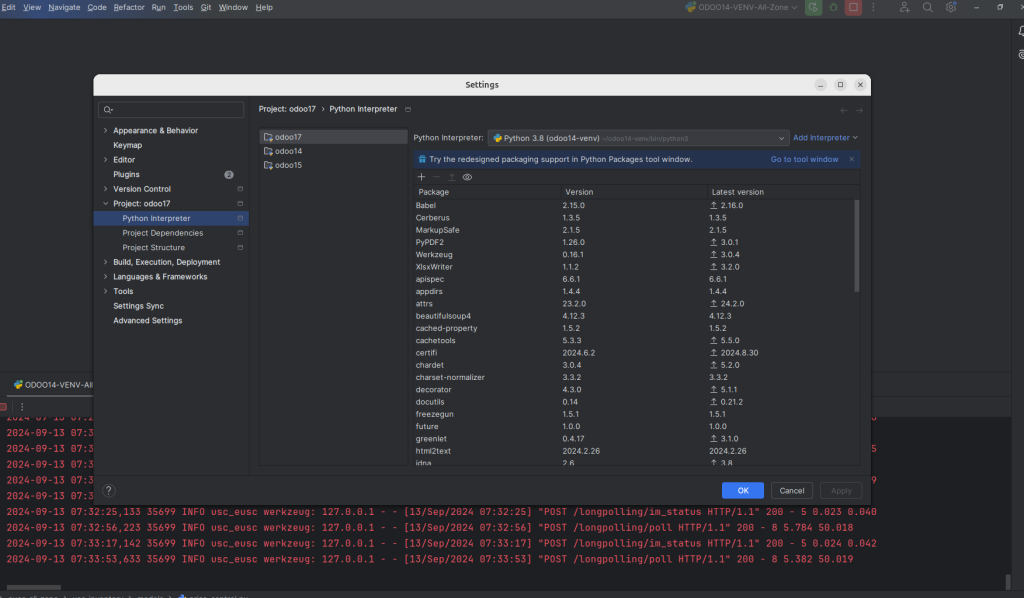
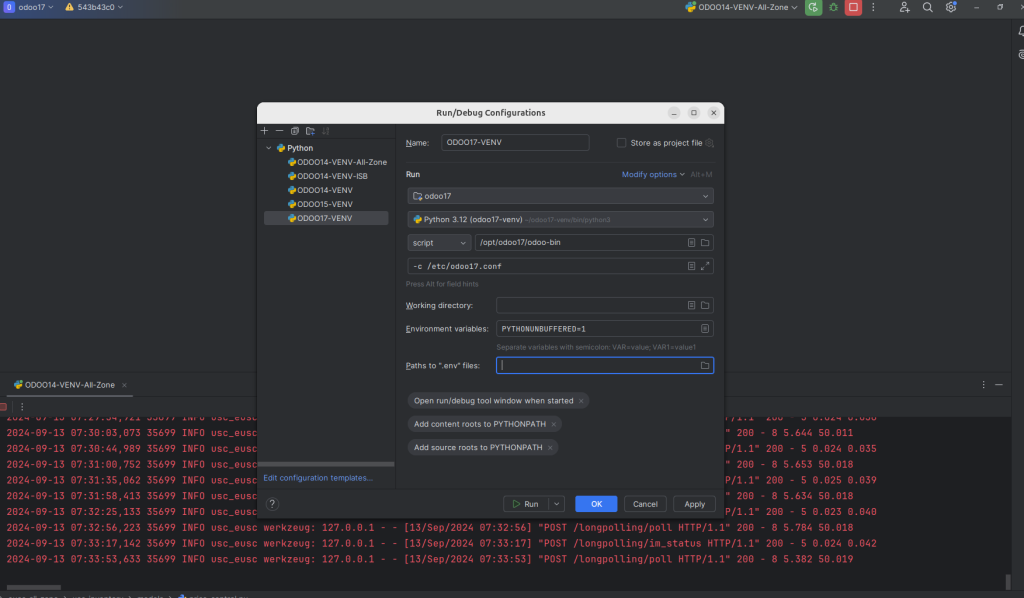
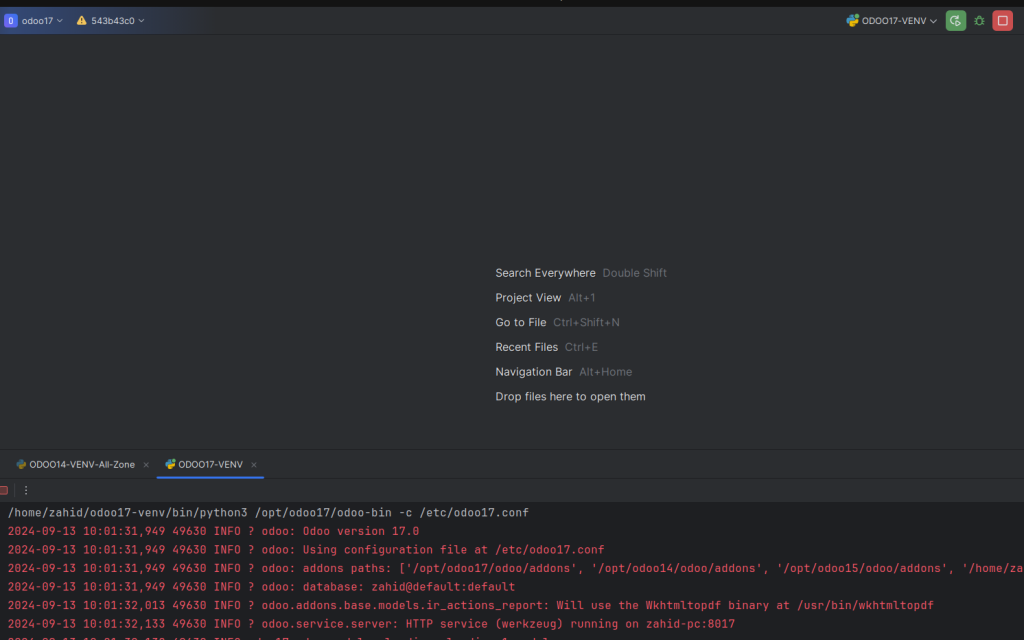
By configuring Odoo in this way, you ensure that your development environment is isolated and dependencies are well managed.

This is very interesting, You’re a very skilled blogger.
I have joined your feed and look forward to seeking more of your wonderful post.
Also, I have shared your web site in my social networks!